Loading
WSU Assistant
An assistant built for CFA® preparation.
Ask a question and the assistant retrieves the relevant WSU notes first, then answers from what it actually found, and shows you the sources it used, so the answer can be checked rather than trusted.
Free plan: 50 assistant messages, no card required. No message cap on a paid plan.
How it answersRetrieval
- Grounded inWSU Notesretrieved WSU notes, not model recall
- Sources shownEvery replythe notes actually used, on each reply
- Curriculum topics10across 93 readings
- AttachmentsImage · PDFscreenshots and PDFs read as part of the prompt
- Free plan messages50before a plan is needed
The assistant can still be wrong. Every reply carries its sources so you can check it before exam day.
How it works
§ 01The answer is built on what we actually retrieved.
Retrieval, citation and context: the three things that separate a study assistant from a chatbot with opinions.
- Retrieval: grounded in WSU notesEvery question is matched against WSU's proprietary notes, CFA-aligned learning materials, and internal knowledge base. The answer is built on the most relevant retrieved context: not on what the model happened to remember.
- Citations: sources on every replyThe assistant attaches the WSU notes and study sources it actually used to each answer — so you can verify, drill deeper, or move into a related concept without leaving the chat.
- Context: understands the threadThe assistant keeps track of the conversation, so follow-up questions stay connected to the topic you are studying.
In conversation
§ 02Built to be worked in, not just typed at.
Attachments, formatting, titling and pinning: the things that make a long study thread usable a week later.
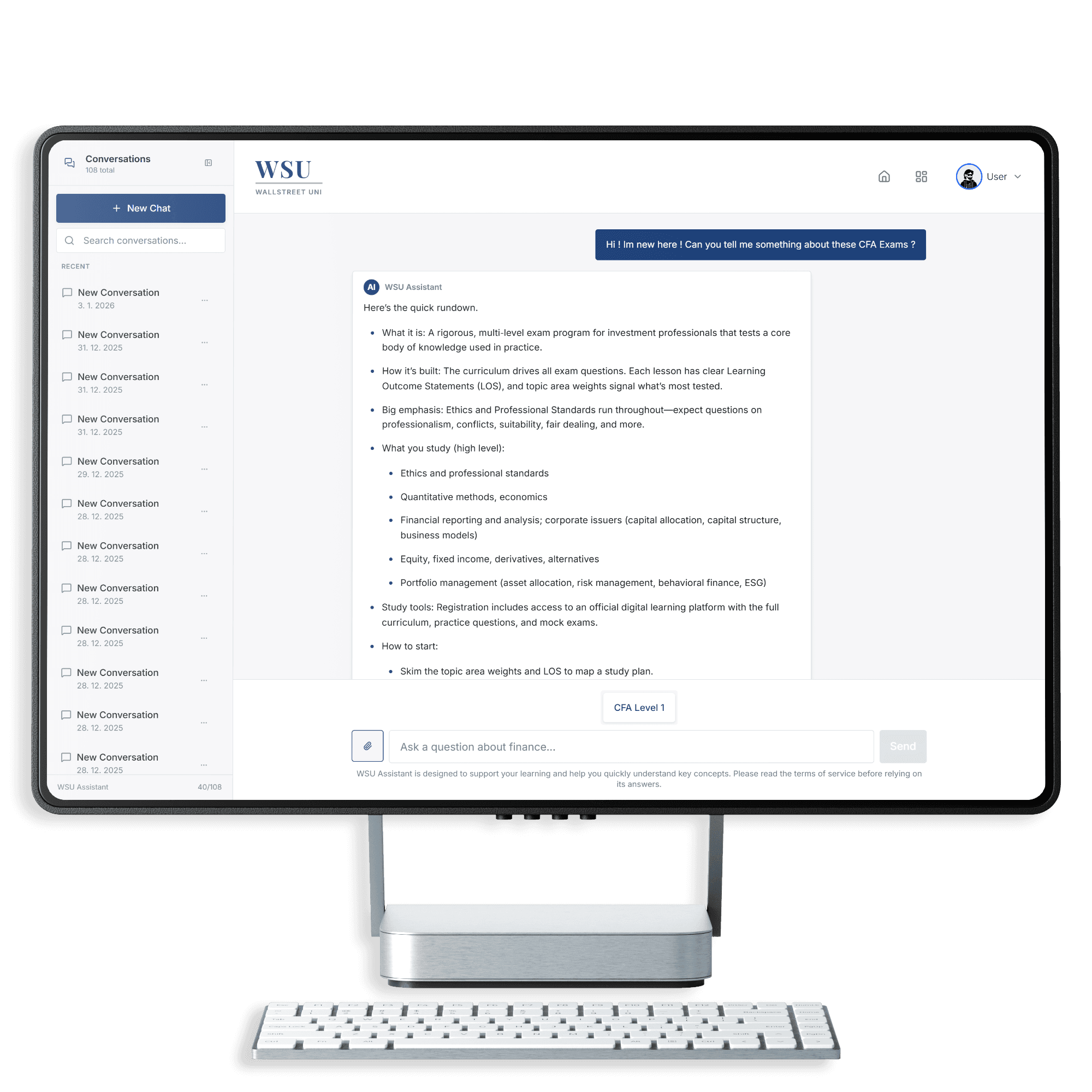
- Image and PDF attachments. Drop a screenshot of a textbook page, a formula, or a question: the assistant treats the attachment as part of the prompt.
- Explained in plain English. Dense finance language is broken into a study-note rhythm: definitions first, formulas next, examples last.
- Auto-titled threads. Every conversation gets a precise title generated from the first exchange: the history sidebar reads like a real index, not “New chat (47)”.
- Pin the threads that matter. Pin a conversation to the top of the sidebar: reference threads you keep returning to never disappear under newer chatter.
- Code, math and tables. Formulas render as proper math, tables stay readable, and code blocks appear in monospaced formatting, so technical answers feel structured.
Where it lives
§ 03A hint, the moment you need one.
The assistant is not a separate destination. It opens where you already are.
- In-quiz hint panelStuck on a question mid-sitting? Open the side panel: the assistant sees the question you’re on and explains, hints, or unpacks the concept without leaving the page.
- Floating widget on every pageA small chat button rides every page in the app. Open it mid-chart, mid-explanation, mid-anything: your scroll position waits for you.
- Full chat workspaceA dedicated workspace with a conversation sidebar, pinned threads, and the same retrieval-grounded answer engine.
It reads from the same WSU Notes you study from, and opens inside the question bank.
Ask the assistant today.
Start on the free plan: the whole Quantitative Methods book and all its questions, with no card and no time limit. If you then buy a plan and it is not right for you, the first seven days are refundable in full.
Wall Street Uni is an independent study platform and is not affiliated with, endorsed by, or sponsored by CFA Institute.